The best PC for gaming is the one that fits your budget, goals, and games.
You came here to find what is the best pc for gaming. I’ve built, tested, and tuned rigs for more than a decade. I’ll show you clear picks, smart parts, and real results. We will cover builds, upgrades, and traps to avoid. By the end, you will know what to buy with confidence.

What Does “Best PC for Gaming” Mean?
When people ask what is the best pc for gaming, they want fast, smooth play. They also want good value, low noise, and an easy path to upgrade. The right answer depends on your budget, target resolution, and the games you love.
Think of it like a car. A track car is not great in snow. A family van is not fun on a lap day. The best pc for gaming is the one tuned for your road. That road could be 1080p esports, 1440p high refresh, or 4K maxed eye candy.
Core Components That Decide Performance
What is the best pc for gaming if the parts do not match? It is not the best at all. Here is what matters most.
- GPU
This drives frames. For 4K Ultra, aim for a GeForce RTX 4090 or Radeon RX 7900 XTX. For 1440p, an RTX 4070 Super or RX 7800 XT shines. For 1080p esports, an RTX 4060 or RX 7600 is fine. - CPU
Games love fast cores and cache. AMD’s Ryzen 7 7800X3D leads in many titles. Intel Core i7-13700K or i7-14700K are also strong. For pure play, a top X3D chip often wins. - RAM
32 GB is the sweet spot for new games. Use DDR5-6000 CL30 on AM5. Use DDR5-6000 to 6400 on Intel 13th or 14th gen. - Storage
A 1 TB NVMe SSD is the floor. A PCIe 4.0 drive loads worlds fast. Add a 2 TB SSD if you have a big library. - Motherboard
Pick a stable board with good VRMs and enough ports. B650 or X670 for AM5. Z790 for Intel 12th–14th gen. - Power supply
Get a 80 Plus Gold unit from a good brand. Size it with headroom. 850 W for high end GPUs. 650–750 W for mid range. - Cooling and case
Air coolers work well for most builds. A 360 mm AIO is nice for top chips. Pick a case with strong airflow and dust filters. - Monitor match
Your screen sets your goal. A 1440p 144 Hz panel needs a mid to high GPU. A 4K 120 Hz OLED needs a beast card.
Pro tip from my bench: the best pc for gaming often comes down to a strong GPU and smart cooling. A balanced build beats a lopsided parts list.
Recommended Builds and Prebuilts by Budget and Use
Let’s answer what is the best pc for gaming by real picks. Prices shift, so think in tiers. I list DIY parts and a prebuilt tip for each.
1080p Esports, 240 Hz on a Budget
- CPU
Intel Core i5-13400F or AMD Ryzen 5 7600 - GPU
GeForce RTX 4060 or Radeon RX 7600 - RAM
16 GB DDR5-6000, upgrade to 32 GB later - Storage
1 TB NVMe SSD - PSU and Case
650 W Gold, airflow case with two fans
What to expect
Low settings, very high FPS in shooters and MOBAs. Smooth aim and low input lag.
1440p High Refresh Sweet Spot
- CPU
AMD Ryzen 7 7800X3D or Intel Core i7-13700K - GPU
GeForce RTX 4070 Super or Radeon RX 7800 XT - RAM
32 GB DDR5-6000 - Storage
1–2 TB PCIe 4.0 NVMe - PSU and Cooling
750 W Gold, strong air cooler or 240 mm AIO
What to expect
High or Ultra at 100–165 FPS in most titles. Best bang for many gamers.
4K Ultra and Ray Tracing
- CPU
Ryzen 7 7800X3D or Ryzen 9 7950X3D - GPU
GeForce RTX 4090 or RTX 4080 Super - RAM
32–64 GB DDR5 - Storage
2 TB PCIe 4.0 NVMe, plus a second SSD - PSU and Cooling
850–1000 W Gold or Platinum, 360 mm AIO
What to expect
4K Ultra with ray tracing and frame gen. High frame rates on a premium monitor.
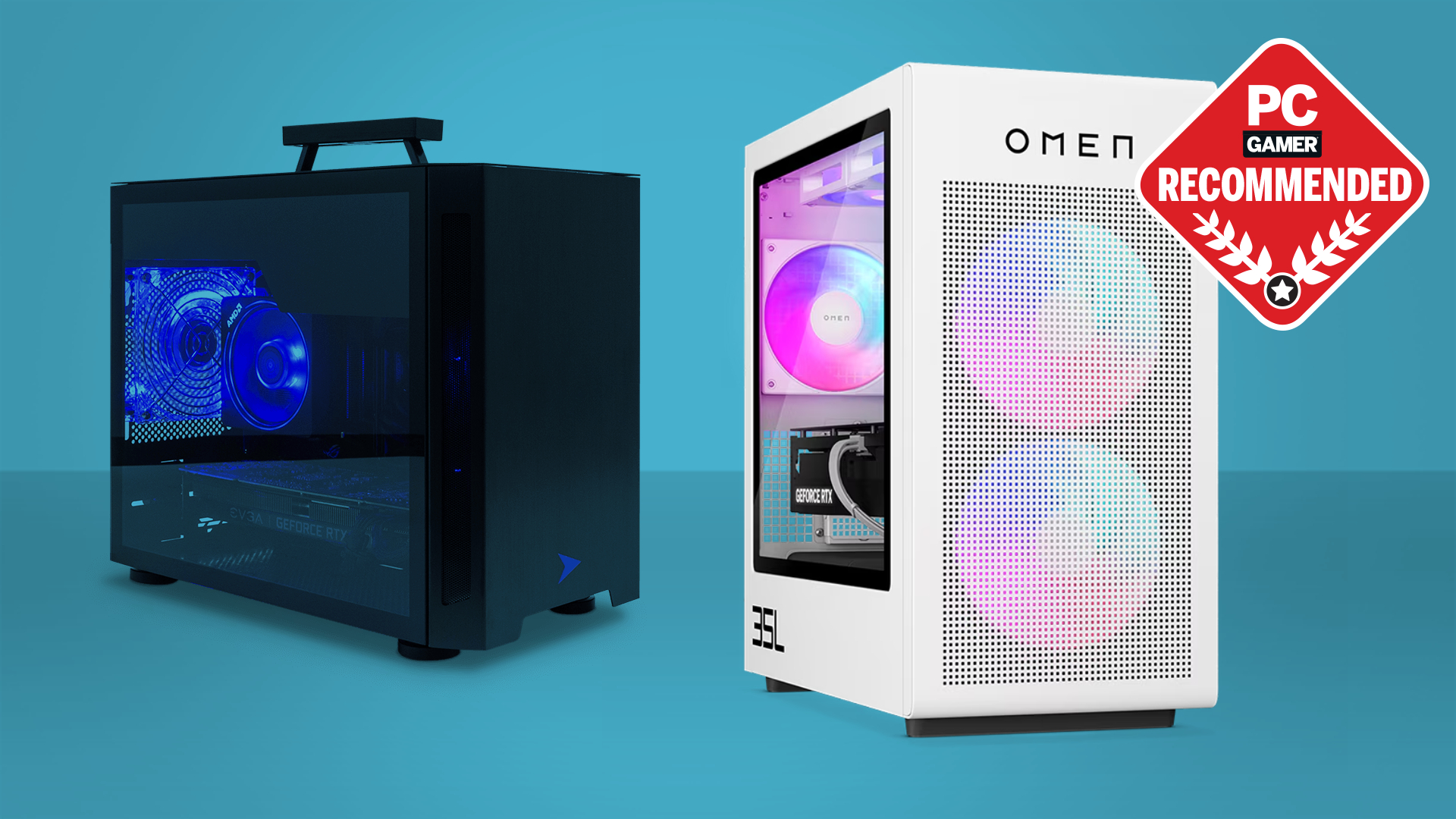
Small Form Factor, Quiet Build
- CPU
Ryzen 7 7700 or Intel Core i5-13600K - GPU
RTX 4070 or RX 7800 XT short card - Case and Cooling
ITX case with mesh. 240 mm AIO or top air cooler - Notes
Use quiet fans and a Gold SFX PSU
What to expect
Great 1440p in a tiny, silent box. Good for living rooms.
Prebuilt tip
Look for clear specs, dual channel RAM, and good cooling. Avoid mystery PSUs. The best pc for gaming in prebuilt form has known parts and strong airflow.
Personal note
I have built dozens across these tiers. My best pc for gaming last year was a 7800X3D and 4070 Super. It hit 1440p 165 Hz in most games. It ran cool and quiet too.
Real-World Performance: What To Expect
It helps to set the right goal. This keeps you from overpaying.
- 1080p Fast Play
A mid GPU can push 200+ FPS in many shooters. CPU speed also matters. - 1440p Balanced
A 4070 Super class card gives 100–160 FPS on high. Ray tracing cuts frames. Use DLSS or FSR to boost. - 4K Ultra
A 4090 makes 4K with ray tracing shine. Frame gen helps. You still tune a few settings for steady lows. - VR and Sim Racing
These love strong CPUs and fast GPUs. Tune shadows and traffic density.
Data note
Independent tests show that cache-rich CPUs like the 7800X3D can boost 1% lows. This feels smoother than raw averages. That is why many ask if this chip makes what is the best pc for gaming. Often, it does.
Quick answer box
- Does 32 GB RAM help today
Yes. Big games and Chrome tabs can eat 16 GB fast. - Is PCIe 5.0 SSD worth it for games
Not yet for load times. PCIe 4.0 is great.
Source: pcmag.com
Upgrades, Longevity, and Value
What is the best pc for gaming over five years? It is the one that upgrades easy. Plan for that day now.
- Leave two RAM slots free if you start with 16 GB
- Pick a board with extra M.2 slots
- Buy a PSU with headroom for a bigger GPU
- Choose a roomy, airflow case so cards fit
When to upgrade
- Add RAM when new games stutter
- Add SSD space when you delete games often
- Swap GPU when you drop below your target FPS
Lessons from my shop
I learned that smart airflow beats fancy RGB. I also learned that a better monitor can feel like a new rig. The best pc for gaming is not only parts. It is the full setup.
How To Buy Smart: DIY vs Prebuilt
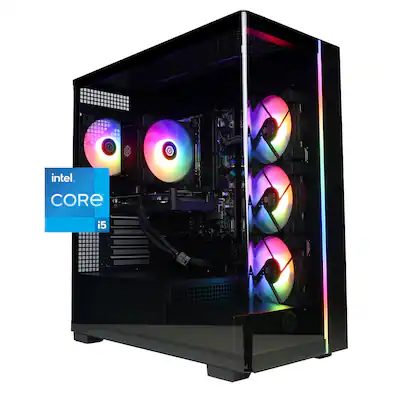
People ask me what is the best pc for gaming if they do not want to build. Both paths can win.
DIY perks
- Lower cost at the same level
- Exact parts you trust
- Easier to upgrade later
Prebuilt perks
- Warranty on the whole system
- No build stress
- Often includes Windows license and support
Red flags to avoid
- Single 16 GB stick instead of 2×8 or 2×16
- Weak 500 W bronze PSU in a high end rig
- Poor case airflow and no intake fans
Timing tip
Buy after major GPU launches or sales. Holiday deals can be strong. A small wait can save a lot.
Must-Have Accessories For A Great Gaming PC
You can build what is the best pc for gaming and still miss the win if the add-ons lag.
- Monitor
Match your GPU to the panel. For 1440p 144 Hz, a 27-inch IPS is great. For 4K, 120–144 Hz is ideal. - Mouse and Keyboard
A light mouse with a good sensor helps aim. A fast, quiet keyboard helps comfort. - Headset or Speakers
A clear mic helps squads. Good sound boosts immersion. - Network
Use Ethernet if you can. If not, get Wi‑Fi 6 or better. - UPS
A small battery can save a long raid from a power blip.
Small story
I once fixed “lag” by swapping a cheap HDMI cable. Do not let little things hold back what is the best pc for gaming.
Frequently Asked Questions
What is the best PC for gaming right now?
The best pc for gaming is a 7800X3D with an RTX 4090 for 4K. For value, a 7800X3D with a 4070 Super rules 1440p.
Is a console cheaper than a gaming PC?
Yes, the upfront cost is lower. But a PC can do more, upgrade over time, and often has better sales on games.
How much should I spend for 1440p 144 Hz?
Plan for a mid to high GPU and a strong CPU. Around $1,500 to $2,200 can hit that goal, depending on deals.
Do I need water cooling?
Not always. A good air cooler keeps many CPUs cool and quiet. Use a 280–360 mm AIO for top chips or tight cases.
Is 32 GB RAM worth it?
Yes for new AAA games and streaming. It also helps with mods, Chrome tabs, and future titles.
Which SSD size is best for gaming?
Start with 1 TB NVMe. If you play many big games, 2 TB feels right.
Should I choose AMD or Intel for gaming?
Both work well. AMD’s 7800X3D often leads in games, while Intel chips are great all-rounders.
Conclusion
The best pc for gaming is the one that meets your target frames, fits your budget, and gives you room to grow. Balance the GPU and CPU, lock in 32 GB RAM, and pick fast storage. Plan airflow and power right, and your rig will feel fast for years.
Act on it today. Set your goal resolution and budget, then pick the build tier that fits. If you found this guide useful, share it, subscribe for more tips, or leave a comment with your plan.