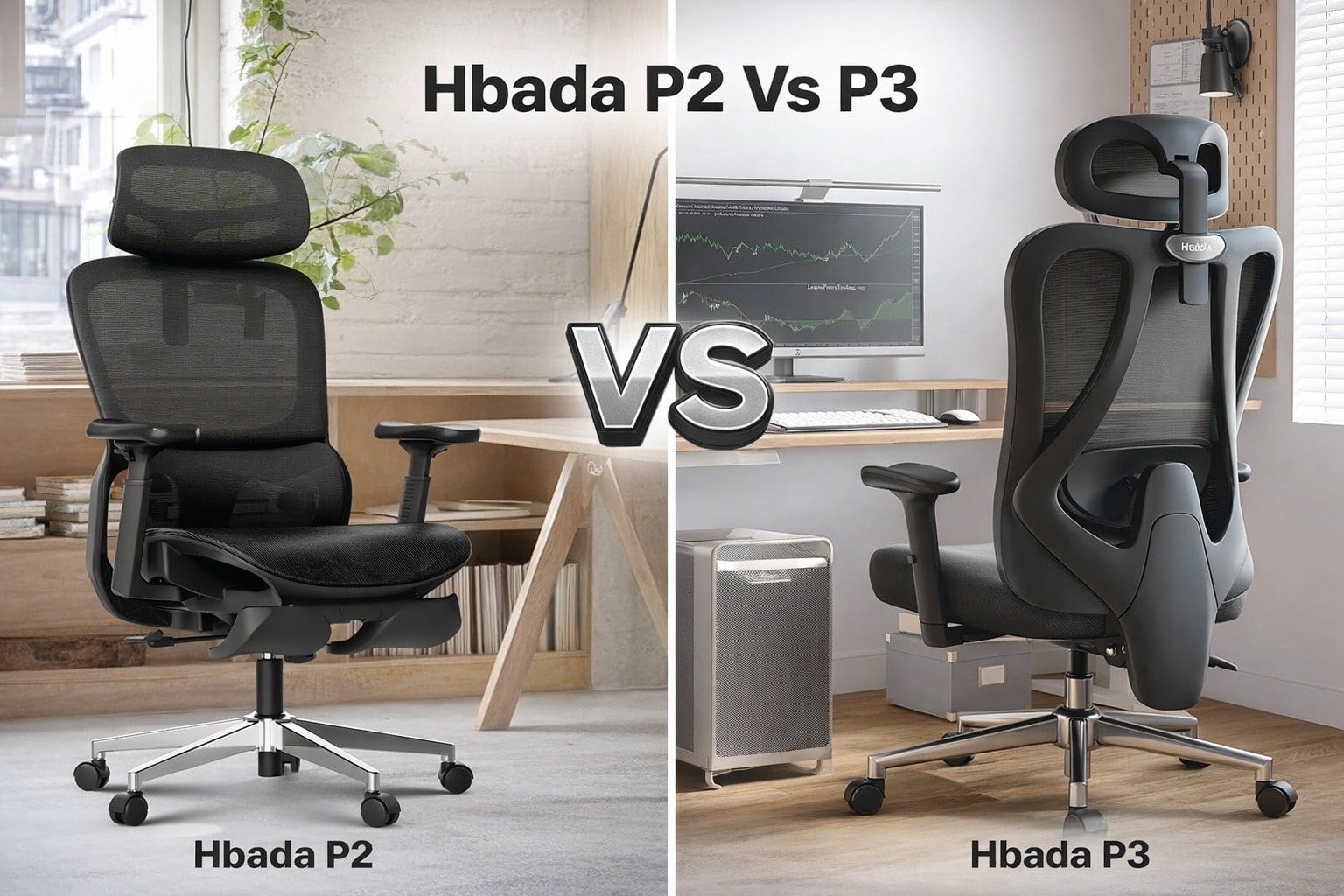
P2 is better for relaxing recline; P3 is better for upright, focused work.
Long days at my desk forced me to rethink my chair. In testing Hbada P2 vs P3: My Honest Chair Feedback, both promised comfort, but in different ways. The P2 leans into lounge-friendly support with a footrest. The P3 feels tighter and more task-focused. I used both for full work weeks and mixed in gaming and reading. Here’s what stood out so you can pick with confidence.
Is Hbada P2 Good?
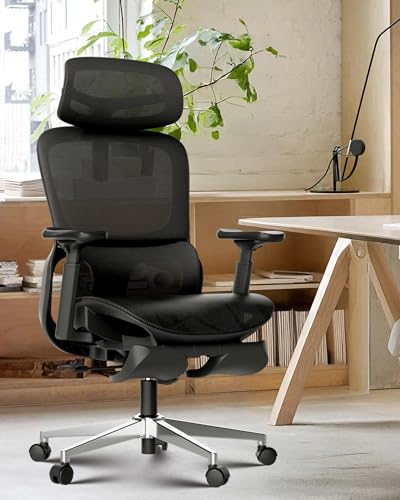
Yes, for many people. The Hbada P2 is great if you want a chair that shifts from work mode to rest mode. It shines when you recline. The 3D lumbar follows your back as you move. The 3D headrest and arms are easy to dial in. The footrest is the kicker. If you like to stretch during long calls, you’ll love it.
In my first week, I wrote a full report in one sitting, then kicked back at 135° to read for 20 minutes. No stiff lower back the next day. During a late-night gaming run, the footrest saved my legs. In my Hbada P2 vs P3: My Honest Chair Feedback notes, P2 became my “deep work plus break” chair.
What Makes It Stand Out / Key Features
- 3D lumbar support that shifts with your posture
- 3D headrest for height, depth, and angle tweaks
- 3D 360° rotating armrests for precise elbow support
- 135° stepless recline with lock for smooth lounging
- Integrated footrest for full-leg relaxation
What I Like
- The footrest turns short breaks into real resets
- Lumbar stays in contact when I move or lean
- Headrest actually meets the base of my skull, not mid-neck
- Arms pivot to support typing and controller use
- Mesh feels airy and never clammy
What Could Be Better
- Footrest adds bulk under the seat
- Recline tops out at 135°, not the deepest out there
- Arm pads could be softer for marathon sessions
My Recommendation
If you want a work-chair that doubles as a mini-recliner, choose P2. It’s a strong value when comfort breaks matter.
| Best For | Why |
|---|---|
| Hybrid work and rest | Footrest + smooth recline encourage real recovery |
| Backs that change posture often | 3D lumbar tracks your movement |
| Home office multi-use | Great for reading, calls, light gaming |
Is Hbada P3 Good?
It depends on your style. The Hbada P3 is ideal if you sit more upright and want crisp support. It trades the footrest for a deeper recline angle and a slimmer frame. The 2D lumbar is simple but effective. If you like a neat, dialed-in desk setup, P3 fits right in.
I used P3 for a week of video edits and quick sprints. I noticed I stayed upright longer and kept focus. During my Hbada P2 vs P3: My Honest Chair Feedback tests, P3 felt like a “stay on task” tool. When I did recline, the 145° range felt generous, even without a footrest. It’s tidy, light, and sharp for tight spaces.

What Makes It Stand Out / Key Features
- 2D adjustable lumbar to set height and depth
- Adjustable headrest for height and angle
- Adjustable armrests for ergonomic typing support
- 145° stepless tilt for a deeper lean
- Slim, no-footrest design for compact rooms
What I Like
- Encourages a clean, upright posture for focus
- Deeper recline feels nice for short breaks
- Slim profile saves space under the desk
- Simple lumbar control is quick to set
- Headrest angle locks in a sweet spot
What Could Be Better
- No footrest limits leg relief during long reclines
- Lumbar is 2D, so it moves less with you
- Armrests could use more lateral range
My Recommendation
If you want a tidy, task-first chair with a deep recline but no footrest, pick P3.
| Best For | Why |
|---|---|
| Small workspaces | Streamlined frame without a footrest |
| Upright, focused work | Posture-friendly lumbar and headrest |
| Frequent recline breaks | 145° tilt offers a generous lean |
Hbada P2 vs P3: My Honest Chair Feedback: Side-by-Side Test
I ran both chairs through full workdays, editing sessions, and reading breaks. In this Hbada P2 vs P3: My Honest Chair Feedback comparison, I looked at support, adjustability, recline, build, setup, movement, and value.
Ergonomic Support: Which Protects Your Back Better?
Both offer adjustable lumbar and head support. The feel is different in motion.
| Feature | Hbada P2 | Hbada P3 |
|---|---|---|
| Lumbar type | 3D, tracks movement | 2D, set-and-forget |
| Headrest | 3D adjustments | Height + angle |
| Back feel | Adaptive and cushy | Firm and focused |
| Long-session comfort | Strong with recline breaks | Strong in upright work |
Ratings: P2 – 9/10 | P3 – 8/10
“Edge: P2, because the 3D lumbar keeps contact as you move.”
Recline & Relaxation: Which One Lounges Better?
Recline range and leg support change the break experience.
| Feature | Hbada P2 | Hbada P3 |
|---|---|---|
| Max recline | 135° stepless | 145° stepless |
| Footrest | Yes, integrated | No |
| Break comfort | Full-body support | Deep lean, legs unsupported |
| Recline control | Smooth and stable | Smooth and stable |
Ratings: P2 – 9/10 | P3 – 8.5/10
“Edge: P2 for total relaxation; P3 for a simple, deep lean.”
Adjustability & Fit: Which Is Easier to Dial In?
Small tweaks matter for long days, especially in Hbada P2 vs P3: My Honest Chair Feedback testing.
| Adjustment | Hbada P2 | Hbada P3 |
|---|---|---|
| Lumbar range | More dynamic | Quicker to set |
| Armrests | 3D 360° rotation | Adjustable, fewer axes |
| Headrest control | Height/depth/angle | Height/angle |
| Overall fit | Versatile for mixed use | Optimized for upright work |
Ratings: P2 – 9/10 | P3 – 8/10
“Edge: P2 for broader fine-tuning; it adapts to more positions.”
Build & Materials: Which Feels Better Day to Day?
Both use breathable mesh and a sturdy frame; feel varies in use.
| Aspect | Hbada P2 | Hbada P3 |
|---|---|---|
| Seat feel | Comfort-first | Support-first |
| Backrest profile | Curved, adaptive | Slim, firm |
| Arm pad comfort | Good, could be softer | Good, a bit firmer |
| Overall heft | Bulkier (footrest) | Slimmer silhouette |
Ratings: P2 – 8.5/10 | P3 – 8.5/10
“Tie: Choose based on feel—plush adaptive (P2) vs firm focused (P3).”
Assembly & Setup: Which Gets You Sitting Faster?
I timed both builds during my Hbada P2 vs P3: My Honest Chair Feedback trial.
| Step | Hbada P2 | Hbada P3 |
|---|---|---|
| Parts count | More (footrest parts) | Fewer |
| Tools | Included | Included |
| Build time | Moderate | Quick |
| First fit | Needs a few tweaks | Set in minutes |
Ratings: P2 – 8/10 | P3 – 9/10
“Edge: P3, simpler build and faster first sit.”
Movement & Noise: Which Rolls and Feels Quieter?
Casters and frame play a role in daily motion.
| Metric | Hbada P2 | Hbada P3 |
|---|---|---|
| Rolling smoothness | Smooth on hard floors | Smooth on hard floors |
| Noise in use | Quiet with light creaks at full extend | Quiet and tidy |
| Foot space | Less (footrest hardware) | More open |
| Desk mobility | Good, slightly heavier | Great, lighter feel |
Ratings: P2 – 8/10 | P3 – 8.5/10
“Edge: P3, thanks to the open under-desk space and lighter feel.”
Value for Money: Which Delivers More for Your Spend?
What you value most decides the winner in Hbada P2 vs P3: My Honest Chair Feedback.
| Value Piece | Hbada P2 | Hbada P3 |
|---|---|---|
| Included features | Footrest + 3D supports | Deeper recline + slim design |
| Versatility | Work, rest, read, game | Work-first, short breaks |
| Space efficiency | Moderate | High |
| Overall value | Excellent for mixed use | Great for task-first users |
Ratings: P2 – 9/10 | P3 – 8.5/10
“Edge: P2, more feature depth per dollar if you use the footrest.”
Final Verdict: Which Should You Buy?
The P2 is the better pick if you want one chair for work and wind-down. Its 3D lumbar, 3D headrest, and footrest make long days easier. In my Hbada P2 vs P3: My Honest Chair Feedback testing, it helped me recover between tasks.
Pick the P3 if you sit upright, crave a clean setup, and like a deep but simple recline. It saves space and keeps you locked in on work. Both are solid values; your posture style makes the call.
FAQs Of Hbada P2 vs P3: My Honest Chair Feedback
What’s the biggest real-world difference?
The P2 has a footrest and more adaptive 3D lumbar. The P3 skips the footrest, reclines deeper, and feels more upright. In Hbada P2 vs P3: My Honest Chair Feedback tests, P2 won for breaks; P3 for focus.
Which is better for back pain?
If your pain changes with posture, P2 helps more thanks to 3D lumbar that moves with you. If you prefer firm, set support, P3 is fine.
Which one fits a small desk space?
P3. It has a slimmer frame and no footrest hardware under the seat, so it slides in and out with less fuss.
Can I work and game on the same chair?
Yes. P2 is better for that mix. The footrest and 135° recline make it easy to relax between rounds or after meetings.
Which offers better overall value?
For most people, P2. It packs in more features you’ll feel daily. But if you never use a footrest and want a tidy look, P3 is smart. In Hbada P2 vs P3: My Honest Chair Feedback, both deliver, just for different needs.