
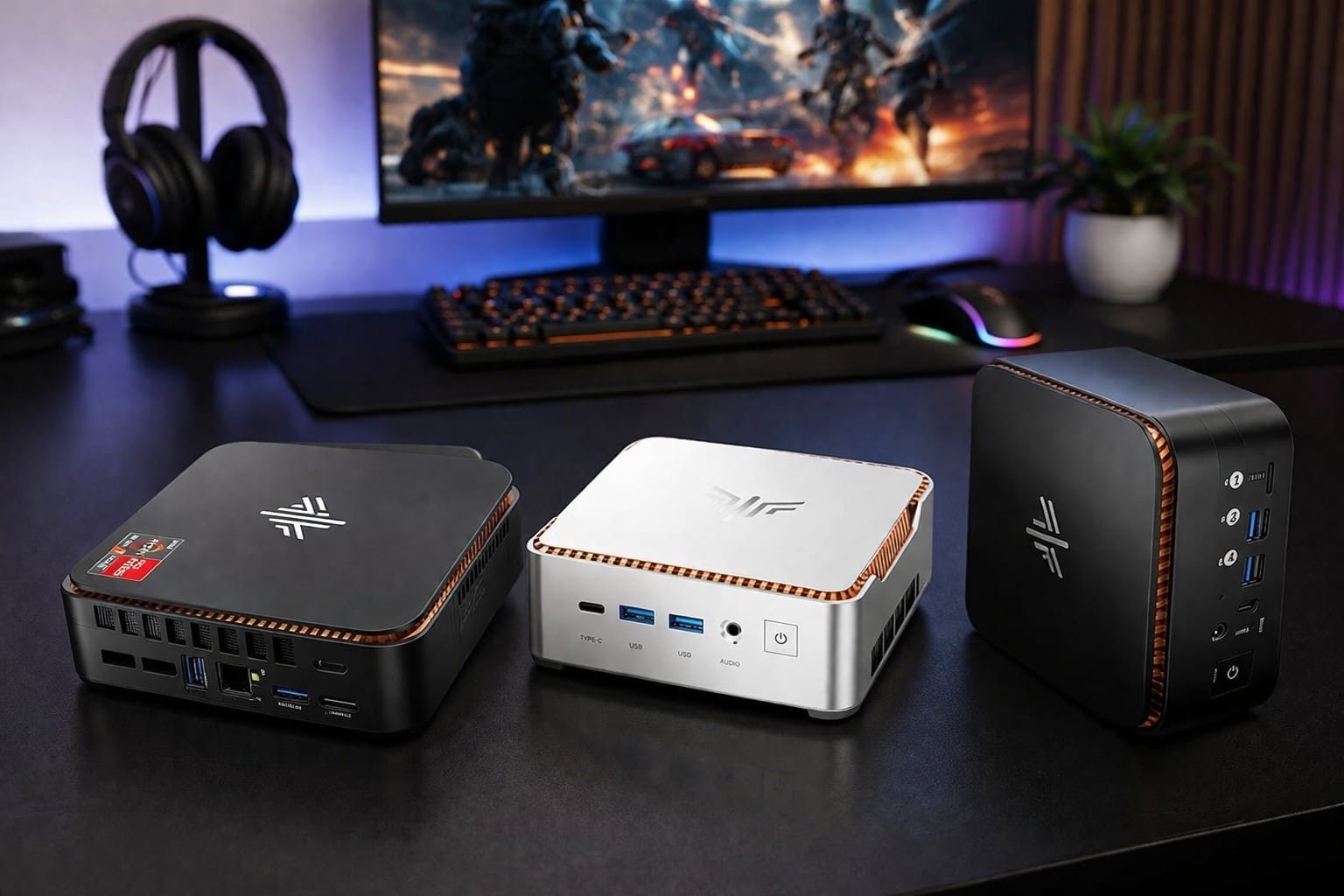
For under $500, Ryzen 4300U or Intel N95 mini PCs handle esports best.
You want a tiny desktop that saves space, sips power, and still plays your favorite games without stutter. I’ve been there. Big rigs are loud, pricey, and hard to move. Mini PCs solve that. The trick is picking the right chip, memory, and storage, so you get smooth 1080p in esports and fast load times without blowing your budget.
In this guide, I’ll break down the Best Mini PC for Gaming Under $500, what to expect in frame rates, where to compromise, and which models give you the most win for the least cash. I’ll also point out deals that can pull some higher-end models under our $500 cap.

KAMRUI Pinova P1 Mini PC…
Next-Gen Performance in a Compact Powerhouse: Meet the KAMRUI Pinova P1 Mini PC—powered by the AMD Ryzen 4300U processor (4 cores / 4 threads, base 2.7GHz, boost up to 3.7GHz)….

KAMRUI Mini PC, AMD Ryzen…
【AMD Ryzen 7 7735HS 】This mini PC is powered by the 2026 Enhanced Edition AMD Ryzen 7 7735HS processor (8 cores / 16 threads, up to 4.75GHz). Compared with mainstream…
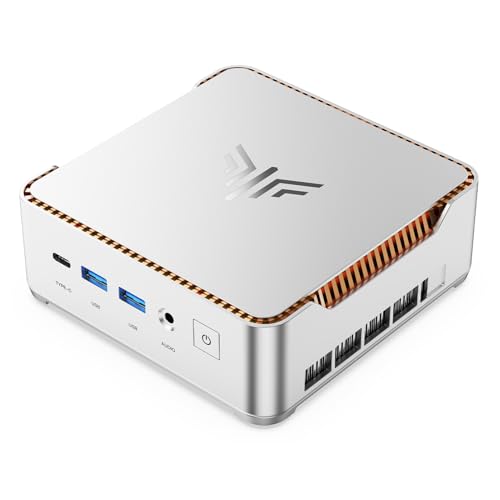
KAMRUI Hyper H2 Mini PC…
High-Performance 14450HX Processor – Significantly outperforms H/P/U/Y series processors: The KAMRUI Hyper H2 mini PC is equipped with an 14450HX processor, featuring 10 cores (6P + 4E) and turbo speeds…
KAMRUI Pinova P1 (Ryzen 4300U, 16GB/256GB)

The KAMRUI Pinova P1 pairs AMD’s Ryzen 4300U with 16GB of RAM for a sharp balance of price and punch. It is compact, quiet, and easy to hide behind a monitor or TV. Esports and lighter AAA titles run fine at 720p to 1080p with tuned settings. Triple 4K display support makes it a neat hub for gaming, streaming, and work.
In day-to-day use, the P1 boots fast and launches apps without delay thanks to the SSD. The Vega-based graphics are modest but steady, which is what budget gaming needs. If you play Fortnite, Rocket League, Valorant, or League, it feels snappy. You can swap the SSD later for more space as your library grows.
Pros:
- Solid 16GB RAM for smooth multitasking and esports play
- Ryzen 4300U offers strong CPU performance for the price
- Triple 4K output for flexible desk or living room setups
- Very quiet under everyday loads
- Upgradable storage for growing game libraries
Cons:
- 256GB SSD fills up fast with modern games
- Integrated graphics need tuned settings for newer AAA titles
- No Wi‑Fi 6 on some batches; check listing details
My Recommendation
If you want a compact starter that still plays, this is a smart buy. The P1 is best for players who live in Fortnite, CS2, Valorant, and indie hits, and want a quiet setup that doubles for work. It stays cool, runs stable, and costs far less than a tower. For shoppers chasing the Best Mini PC for Gaming Under $500, it hits the sweet spot on value.
| Best for | Why |
| Esports at 1080p (tuned) | Ryzen 4300U + 16GB keeps frames steady on popular titles |
| Small desks or VESA mounts | Tiny, light, and quiet with multiple 4K outputs |
| Budget gaming and study | Fast boot and app load, easy storage upgrade later |
KAMRUI Mini PC Ryzen 7 7735HS (16GB/512GB)

This one is a powerhouse for its size. The Ryzen 7 7735HS brings modern Zen 3+ cores and a strong RDNA 2 iGPU. Paired with 16GB LPDDR5 RAM and a 512GB SSD, it flies through Windows, editing, and heavy multitasking. For gaming, expect solid 1080p performance in esports and playable results in many big titles with balanced settings.
The port layout suits triple displays, and Wi‑Fi 6 with 2.5Gbps LAN is great for low-latency play. Thermals are better than most thin minis thanks to an efficient cooler. Fan noise ramps up under load but stays controlled. I like this for gamers who want headroom beyond basic esports.
Pros:
- Very fast CPU with a capable integrated RDNA 2 GPU
- 16GB LPDDR5 and 512GB SSD provide fast, smooth use
- Wi‑Fi 6 and 2.5GbE for low-lag online gaming
- Handles triple-monitor setups for work and play
- Good thermals for the power level
Cons:
- Often priced above $500; watch for sales
- RAM is usually not user-upgradable on LPDDR5 designs
- Fan can be audible during long gaming sessions
My Recommendation
If you find this model near our cap, grab it. It is best for gamers who want more than entry-level frames and plan to play a wide mix of titles. The CPU power also helps with streaming and light editing. When deals bring it under our budget, it can be the Best Mini PC for Gaming Under $500 for mixed play and productivity.
| Best for | Why |
| 1080p esports and modern games | Strong HS-class CPU and RDNA 2 iGPU deliver smooth play |
| Work + play on 3 screens | Triple display and fast I/O keep workflows fluid |
| Low-latency online gaming | Wi‑Fi 6 and 2.5GbE reduce lag spikes |
KAMRUI Hyper H2 (Core i5-14450HX, 16GB/512GB)

The Hyper H2 uses Intel’s Core i5-14450HX, a high-wattage chip in a tiny box. That means superb CPU performance for the size. The integrated graphics are fine for esports, though you will tune settings for newer AAA games. The 512GB PCIe 4.0 SSD is quick and helps with load times.
Ports are generous, including USB-C, HDMI, and DisplayPort for triple 4K support. Ethernet keeps latency stable while Wi‑Fi is there for convenience. Under heavy CPU loads, the fan will spin up, but it remains within reason. If you do a lot of CPU-heavy work plus light gaming, this is a fit.
Pros:
- Top-tier CPU speed for a mini PC
- Fast PCIe 4.0 storage improves game loading
- Triple 4K display support for flexible layouts
- Good port selection for gaming gear
- Solid multitasking with 16GB RAM
Cons:
- Integrated graphics limit AAA performance
- Thermals can get toasty under all-core loads
- Pricing may exceed $500 at times
My Recommendation
Choose the Hyper H2 if you need a strong CPU for school, code, or content, and you play esports on the side. It is best for users who value fast compile times, snappy apps, and steady frames in lighter games. For buyers tracking deals, it can land near our budget. When it does, it becomes a stealthy pick for the Best Mini PC for Gaming Under $500 if CPU grunt tops your list.
| Best for | Why |
| CPU-heavy tasks + light gaming | HX-class chip crushes work; iGPU covers esports |
| Triple 4K desk setups | HDMI + DP + USB‑C for flexible display layouts |
| Fast app and game loads | PCIe 4.0 SSD keeps waiting time low |
GMKtec NucBox G3S (Intel N95, 8GB/256GB)
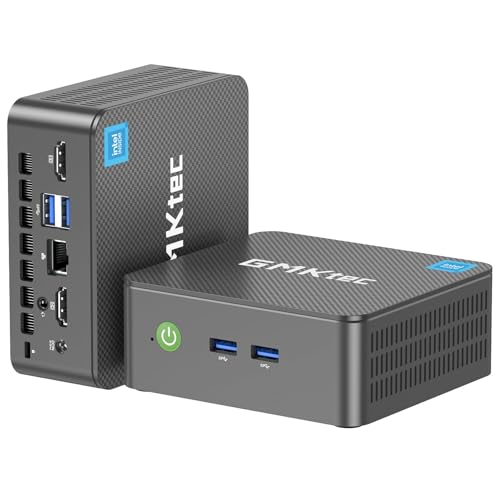
The NucBox G3S is a wallet-friendly Intel N95 mini PC. It shines for basic games, retro emulation, and light esports at 720p to 900p. Power draw is tiny, and the case is so small it can live on the back of a monitor. Dual HDMI handles a main screen and a side chat or stream.
With 8GB RAM and a 256GB SSD, it boots fast but needs upgrades for bigger libraries. It is not a AAA box, but it is a nice way to join friends in casual sessions without breaking the bank. It also plays 4K video smoothly, making it a good living room unit.
Pros:
- Very affordable and ultra-compact
- Low power use and quiet operation
- Great for retro and casual gaming
- Dual HDMI for a simple two-screen setup
- Easy to mount or hide
Cons:
- 8GB RAM can limit multitasking and some games
- Not built for modern AAA titles
- 256GB storage fills up fast
My Recommendation
Pick the G3S if your games are light and your space is tight. It is best for retro fans, indie lovers, and kids who play Roblox or Minecraft. Upgrade the SSD later for more room. If your goal is the Best Mini PC for Gaming Under $500 with the lowest cost of entry, this is an easy win.
| Best for | Why |
| Retro and indie games | Low power chip handles emulation and light engines well |
| Two-screen setups | Dual HDMI keeps it simple and tidy |
| Under-$300 budgets | Very low price, upgradeable storage |
KAMRUI Pinova P2 (Ryzen 4300U, 16GB/512GB)

The Pinova P2 steps up storage to 512GB while keeping the strong budget-friendly Ryzen 4300U. This helps a lot if you rotate a few larger games. It remains small, quiet, and easy to set up with triple 4K output. It feels quick in Windows and keeps esports playable at 1080p with smart settings.
I like the P2 as a “do more” version of the P1. The extra SSD space buys comfort, and the rest stays cool and efficient. It can also do light content work and stream in the background while you game. It’s a travel-friendly PC that does not feel cheap.
Pros:
- More storage for modern game sizes
- Solid CPU performance for the price
- Supports three 4K monitors
- Quiet fan profile during casual use
- Good value for under $500
Cons:
- Integrated graphics will need lowered settings for AAA
- No dedicated GPU option
- Wi‑Fi spec can vary by batch—check details
My Recommendation
Choose the P2 if your library is larger and you want fewer delete-and-reinstall cycles. It is best for esports players who also keep a couple of bigger titles installed. It stays stable and quiet while feeling faster than entry-level Intel options. For many buyers, this is the Best Mini PC for Gaming Under $500 because it nails the storage-to-power ratio.
| Best for | Why |
| Esports at 1080p | Ryzen CPU and 16GB RAM give steady frames with tuned settings |
| Bigger game libraries | 512GB SSD reduces juggling installs |
| Compact triple display | HDMI + DP + USB‑C outputs |
Getorli Mini PC (Ryzen 5300U, 16GB/512GB)
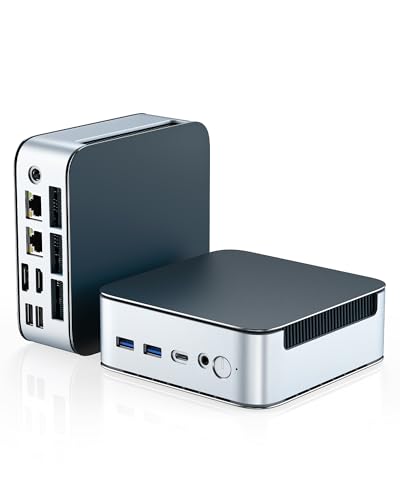
With AMD’s Ryzen 5300U, this Getorli mini PC offers a bump in threaded performance and iGPU speed over older budget chips. The 16GB RAM and 512GB SSD feel generous at this tier. Dual 2.5G LAN is a rare perk and helps if you need fast file transfers or want a tidy LAN link to a NAS. It runs triple displays without trouble.
In games, it feels comfortable at 720p to 1080p in esports and lighter AAA titles. The fan stays calm in light tasks and spins up modestly in games. Build quality is clean, and Wi‑Fi 6 keeps ping stable with a good router. It’s a savvy buy if networking is your thing.
Pros:
- Ryzen 5300U improves both CPU and iGPU over older budget parts
- 16GB/512GB is ideal for work and play
- Dual 2.5GbE LAN for fast, reliable networking
- Wi‑Fi 6 reduces latency with modern routers
- Triple display support for productivity
Cons:
- Still integrated graphics—AAA needs compromise
- Under load, fan can be noticeable in quiet rooms
- No Thunderbolt for high-speed external GPUs
My Recommendation
Pick Getorli if you want balanced power plus strong networking. It is best for students or home offices that also game at night. The 2.5G ports are great if you copy big files or run a media server. For those needs, it stands out as the Best Mini PC for Gaming Under $500 with premium I/O.
| Best for | Why |
| Esports + light AAA | Ryzen 5300U’s iGPU handles tuned 1080p |
| Fast home networks | Dual 2.5GbE speeds up transfers and streaming |
| Work + triple display | Enough ports and power for multitasking |
FUNYET Mini PC (Intel N95, 8GB/256GB)

This FUNYET model dresses the Intel N95 in a stylish white shell. It boots fast, runs cool, and fits in modern desk setups. For gaming, aim for 720p to 900p and esports or indie titles. It supports 4K video for media, so it doubles as a living room system.
8GB RAM and a 256GB SSD are okay to start, but plan to upgrade for bigger games. The small size makes it perfect for dorms and shared spaces. I like it as a budget-friendly, good-looking mini that still plays the casual hits. It’s entry-level, but it’s fun.
Pros:
- Very compact and stylish design
- Cool and quiet at low to mid loads
- Good for esports at reduced settings
- 4K media playback for movies and shows
- Great value for tight budgets
Cons:
- 8GB RAM limits heavier games and multitasking
- Integrated graphics struggle with modern AAA
- 256GB SSD fills up fast
My Recommendation
Grab the FUNYET if you want a clean look and casual games. It is best for students, kids, or anyone who plays light titles and streams a lot of video. Upgrade storage later and keep expectations right. For pure savings, it can be your Best Mini PC for Gaming Under $500 that still looks great on the desk.
| Best for | Why |
| Casual and indie games | Intel N95 handles light engines well |
| Living room media | 4K video playback with quiet fans |
| Dorm or shared desks | Tiny and tidy with white finish |
ACEMAGIC Mini PC (Ryzen 4300U, 16GB/512GB)

ACEMAGIC’s Ryzen 4300U mini hits the same “best value” zone as other 4300U boxes but adds a polished design and a 512GB SSD. It is responsive in Windows, and esports run well with tuned settings. Triple 4K output means it fits into complex desks with ease. It also has steady Wi‑Fi and wired LAN for online play.
The fan curve keeps it quiet at idle and mild loads. During gaming, noise is present but not harsh. The 28W max design helps it stretch performance without flaring temps. It is a clean, no-drama pick for budget gaming and daily work.
Pros:
- Great price-to-performance with 16GB/512GB
- Triple 4K output for flexible monitor setups
- Quiet most of the time
- Reliable networking for steady ping
- Good build for a value mini PC
Cons:
- Integrated graphics cap AAA performance
- No Thunderbolt for eGPU options
- Design may show fingerprints; keep a cloth handy
My Recommendation
Go ACEMAGIC if you want a simple, strong baseline with good storage. It is best for gamers on a tight budget who still want 1080p in popular titles and a smooth Windows experience. It fits right into any desk or TV setup. For many shoppers, this checks every box for the Best Mini PC for Gaming Under $500 today.
| Best for | Why |
| Budget 1080p esports | Ryzen 4300U delivers steady frames with tuned settings |
| Work + play on 3 screens | Triple 4K output and solid ports |
| Low-noise desks | Quiet at idle and moderate loads |
origimagic N4 (Ryzen 9 6900HX, 32GB/1TB)

This is a beastly mini, usually above our budget. The Ryzen 9 6900HX with the Radeon 680M iGPU gives one of the best integrated graphics experiences in a small box. With 32GB LPDDR5 and a 1TB SSD, it feels like a high-end laptop without the screen. Triple 4K display support and Wi‑Fi 6E round out a premium spec list.
In real play, it can push 1080p medium settings in many modern games and sail in esports. It is quiet for the power it packs, though you will hear the fan in long sessions. Dual NICs can help with advanced home networks. If you spot a big sale, it’s a gem.
Pros:
- Among the strongest iGPUs in a mini PC
- Huge 32GB RAM and 1TB SSD for heavy multitasking
- Wi‑Fi 6E and dual LAN for top-tier connectivity
- Triple 4K display support
- Great build for a performance mini
Cons:
- Commonly priced well over $500
- RAM is not user-upgradable (LPDDR5)
- Fan is audible under long gaming loads
My Recommendation
Watch this model if you want the best integrated GPU experience in a tiny form. It is best for players who want 1080p medium in many titles and also do creative work. If a sale pulls it under our line, it can be the Best Mini PC for Gaming Under $500 by raw performance. Otherwise, treat it as a stretch goal with elite specs.
| Best for | Why |
| 1080p medium in many games | Radeon 680M iGPU is very capable |
| Heavy multitasking | 32GB LPDDR5 RAM keeps apps flowing |
| Advanced home networks | Dual NICs and Wi‑Fi 6E offer top flexibility |
Reatan Mini Gaming PC (i5-12450H, 16GB/512GB)

The Reatan Mini Gaming PC uses Intel’s i5-12450H, a lively CPU that brings fast responsiveness and solid threaded power. With 16GB RAM and a 512GB SSD, it feels balanced for school, work, and play. The integrated graphics are fine for esports, and you can run many modern games at low to medium settings. Dual Gigabit LAN is nice for stable wired play.
Triple 4K display support means it can run a clean three-monitor desk. Wi‑Fi 6 and BT 5.2 keep connections current. Thermals stay reasonable, with fan noise that rises under load but settles quick. It is a smart all-rounder when priced right.
Pros:
- Fast 12th-gen CPU for quick app and game handling
- Good baseline: 16GB RAM and 512GB SSD
- Dual Gigabit LAN for reliable wired gaming
- Triple 4K for multitasking setups
- Wi‑Fi 6 and BT 5.2 are up to date
Cons:
- Integrated graphics require tuned settings for many AAA games
- Can be priced above $500 depending on sales
- Fan audible during sustained loads
My Recommendation
Pick Reatan if you want a nimble CPU with broad compatibility and you play esports most nights. It is best for students or remote workers who also game and need reliable wired ports. It handles triple displays and keeps up with modern connectivity. When deals land it under $500, it competes hard for the Best Mini PC for Gaming Under $500 slot.
| Best for | Why |
| Esports + school/work | Strong CPU and solid RAM/SSD mix |
| Stable wired play | Dual Gigabit LAN helps keep ping steady |
| Triple-monitor desks | Supports 3x 4K displays |
FAQs Of Best Mini PC for Gaming Under $500
Can a mini PC under $500 run modern games?
Yes, with tuned settings. Expect smooth 1080p in esports and 720p–1080p low/medium in lighter AAA titles.
How much RAM do I need for gaming on a mini PC?
16GB is the sweet spot. It helps frame pacing, multitasking, and future-proofing versus 8GB.
Is integrated graphics enough for esports?
Yes. Ryzen 4300U/5300U, Intel N95, and similar iGPUs handle esports well at tuned settings.
Should I get Wi‑Fi or Ethernet for gaming?
Ethernet is best for low ping. Wi‑Fi 6/6E is fine if your router and signal are strong.
How big should my SSD be?
512GB is ideal for a few big games. You can upgrade later to 1TB if you need more space.
Final Verdict: Which Should You Buy?
On a tight budget, the KAMRUI Pinova P2 and ACEMAGIC Ryzen 4300U models give the best blend of CPU speed, 16GB RAM, and 512GB storage. They keep esports smooth and feel quick in daily use.
Watch sales on the Ryzen 7 7735HS and Reatan i5-12450H units. If they drop under our cap, they become the Best Mini PC for Gaming Under $500 for mixed work and play with extra headroom.

One Comment