Pick a budget, match parts to your games, build slow, test each step.
If you want to learn how to build a gaming pc in 2026 the right way, you are in the right place. I’ve built dozens of rigs for friends, teams, and clients. In this guide, I’ll show you the exact steps, the logic behind each choice, and the smart tweaks that make a system cool, quiet, and fast for years. Stick with me, and you’ll walk away confident and ready to assemble your own machine.

Plan Your Build Like a Pro
A clear plan cuts cost, stress, and guesswork. Start with your target resolution, refresh rate, and games. 1080p at 240 Hz, 1440p at 144 Hz, or 4K at 120 Hz all need different parts and power. This is the base of how to build a gaming pc in 2026 without waste.
Set a total budget. Then split it across parts. A good baseline is about 35–45% on the GPU, 20–25% on the CPU and motherboard, 10–15% on memory, 10–15% on storage, and 10–15% on case, cooling, and power. Adjust for your goals. If you play esports, shift more to CPU and high-refresh display. If you love AAA at 4K, push more to the GPU.
Write a shortlist of parts that meet your goals. Check availability and actual street prices. Prices change fast. I track price-per-frame from recent benchmarks and community builds, and I wait for sales if I can. That patience has saved me hundreds on past rigs.
People also ask
- Is 32 GB RAM enough for modern gaming?
Yes, 32 GB is the sweet spot in 2026. It helps with big games, streaming, and browser tabs. - Do I need PCIe 5.0 storage?
It is nice for creative work and very large file moves. For gaming, a fast PCIe 4.0 NVMe still loads fast. - Should I build or buy prebuilt?
Building gives better parts for the money and cleaner thermals. Prebuilts are fine if time is tight.
Source: amazon.com
Choosing Core Components That Work Together
Picking parts is not about brands. It is about balance. If you want a smooth path for how to build a gaming pc in 2026, match each part to your target frame rate and thermals.
CPU
- Choose a modern multi-core chip with strong single-thread speed for high FPS.
- For 1080p high-refresh esports, lean on higher boost clocks.
- For streaming or video work, pick a chip with more cores or hybrid designs.
GPU
- Start from your resolution and target settings. Check recent game benchmarks.
- Look at performance-per-watt and cooler design. A quiet triple-fan card beats a loud one.
- Make sure your case fits the card length and thickness.
Motherboard
- Match the socket and chipset to your CPU.
- Check VRM quality, M.2 slots, USB ports, and front-panel header needs.
- BIOS Flashback is a life saver. It lets you update firmware without a CPU.
Memory
- DDR5 is mainstream now. Aim for 32 GB (2 × 16 GB).
- Pick a stable speed and timings known to work well with your platform.
- Verify QVL lists to avoid memory training issues.
Storage
- One fast NVMe for OS and key games. A second SSD for bulk.
- PCIe 4.0 NVMe still offers great load times and runs cooler than top PCIe 5.0.
- Add a large SATA SSD if you need lots of space on a budget.
Power Supply
- Get an 80 Plus Gold or better, from a reputable maker.
- Size it for your GPU peak draw with some headroom.
- Prefer units with native 12V-2×6 support for modern GPUs.
Case and Cooling
- Choose a case with good airflow and space for your GPU and radiator if needed.
- Two front intakes and one rear exhaust is a solid start.
- A quality air cooler or a quiet 240/280 mm AIO both work if installed right.
Personal tip: I once saved money on a weak PSU. The rig crashed under load. Since then, I never cut the PSU budget. Stability is everything.

Avoiding Bottlenecks and Ensuring Compatibility
This is where many guides fail. A clean path for how to build a gaming pc in 2026 means you check lanes, power, and firmware before you buy.
- PCIe and lanes. Make sure your GPU runs at full x16 speed on your board, and that adding M.2 drives does not cut GPU bandwidth.
- VRM and cooling. A strong VRM helps boost and keeps clocks stable. Look for proper heatsinks on the board.
- Power connectors. Use a PSU with native modern connectors. Avoid cheap adapters when you can.
- Memory profiles. Enable XMP or EXPO in BIOS to reach rated speeds.
- Firmware. Update the BIOS to the latest stable version for CPU support, memory fixes, and security patches.
I keep a little checklist in my notes app. It has socket, BIOS version, memory kit code, GPU length, PSU wattage, and case clearance. This small habit has saved me from wrong orders many times.
Step-by-Step Assembly
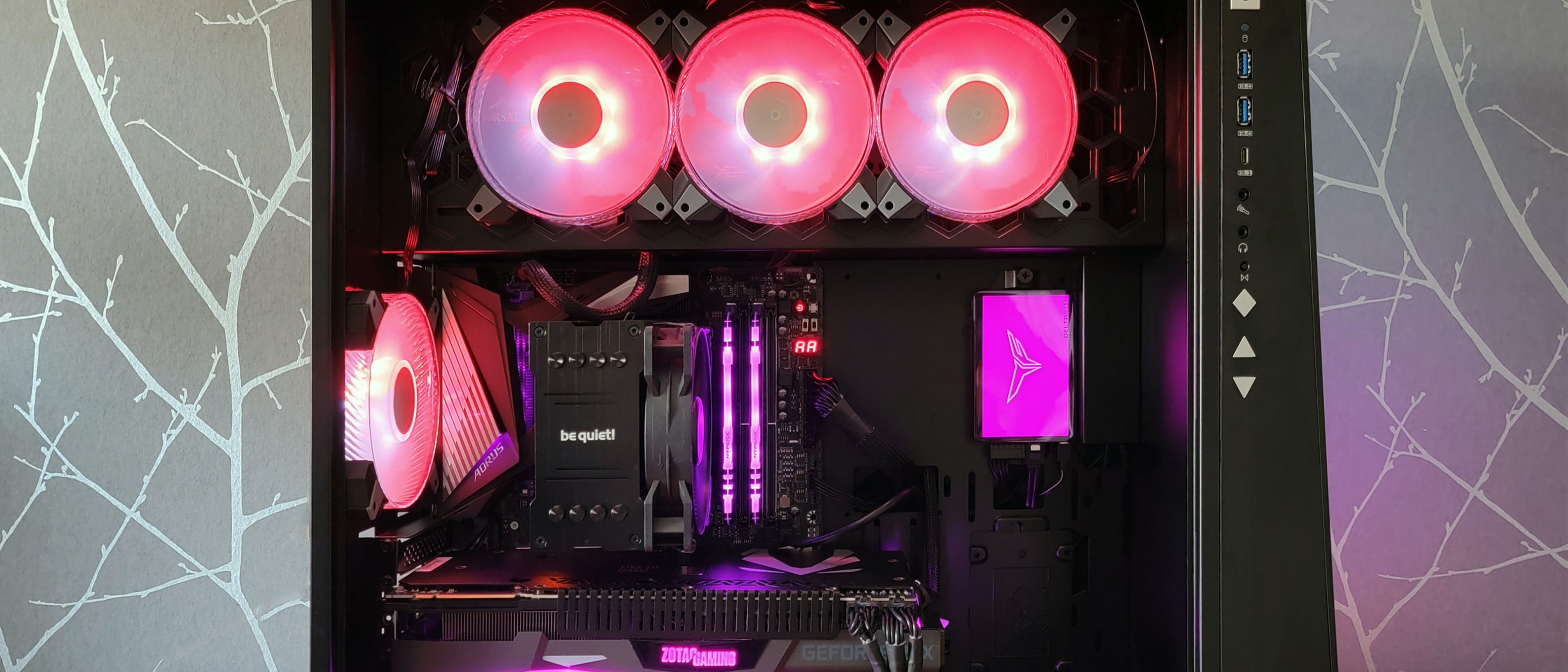
Follow these steps and you will build with peace of mind. This is the heart of how to build a gaming pc in 2026, and it is easier than it looks.
- Prepare the case. Install standoffs that match the board size. Pop out unused brackets.
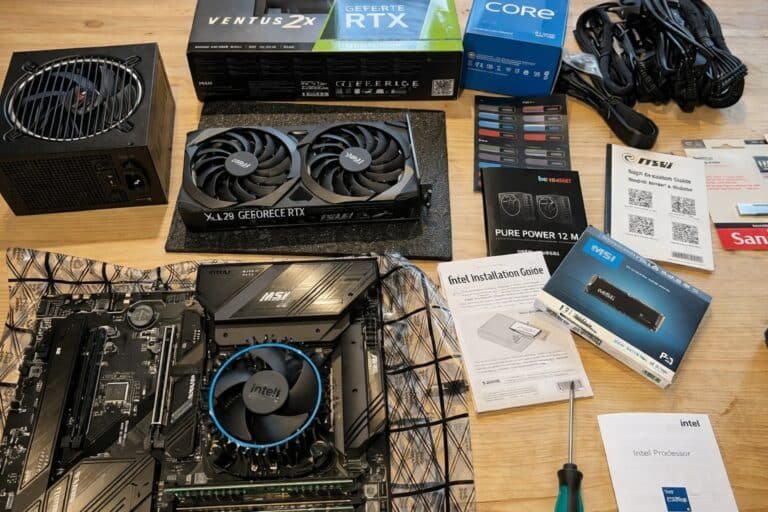
- On the motherboard box, install the CPU. Add a small pea of thermal paste. Mount the cooler.
- Insert RAM sticks in the slots the manual shows. Click both ends.
- Install M.2 SSDs with their heatsinks. Do not overtighten the screws.
- Place the motherboard in the case. Align the I/O shield. Tighten screws in a cross pattern.
- Mount the PSU. Route cables behind the tray.
- Seat the GPU in the top x16 slot. Use two screws to secure it.
- Connect the 24-pin, CPU EPS cables, GPU power, front panel, fans, and USB headers.
- Tidy the cables. Small zip ties make a big difference.
- First boot. Check for a display signal. If no POST, stop and troubleshoot.
Common mistake I still see: missing the board standoffs. That can short the board. Double-check them before mounting.

First Boot, BIOS Setup, and Drivers
A good first boot sets the tone for the life of your PC. If you want to master how to build a gaming pc in 2026, do these steps in order.
- Enter BIOS and load optimized defaults. Update to the latest stable BIOS.
- Enable XMP or EXPO. Set a simple fan curve so the system stays quiet at idle.
- Turn on Resizable BAR if supported. Leave CPU auto-boost on for now.
- Install your OS on the fastest NVMe. Keep the system drive clean.
- Install chipset, GPU, LAN, and audio drivers from the vendors.
- Run updates and reboot. Then monitor temps and clocks at idle and load.
I like to run a 10-minute CPU stress test, a 10-minute GPU stress test, and a memory test pass. If it passes, I install my core apps and games next.
Thermals, Airflow, and Noise Tuning
A cool PC feels snappy and lasts longer. Good airflow is free performance in how to build a gaming pc in 2026.
- Use a slight positive pressure. More intake than exhaust helps keep dust out.
- Place fans to create a straight path over the GPU and CPU cooler.
- Undervolt the GPU a touch. Often you keep the same FPS with far less heat and noise.
- Set fan curves that rise smoothly. Sudden spikes are annoying.
- Check VRM and M.2 temps in long sessions. Add a low-RPM fan if needed.
In my last quiet build, a small 120 mm intake at 700 RPM dropped GPU hotspot by 6°C. The system became whisper quiet.

Smart Storage and Game Library Management
Fast storage does not only mean big numbers. It means short loads and smooth updates. This is a key part of how to build a gaming pc in 2026.
- Put the OS and your top five games on the fastest NVMe.
- Use a second SSD for the rest of your library and captures.
- Keep at least 15% free space on each SSD to maintain speed.
- Turn on features that speed up game loads where supported by your OS.
- Set scheduled backups for saves and key files to a cloud or external drive.
I keep one NVMe only for recording and editing. It avoids stutters when a game and capture write to the same drive.
Advanced Tweaks for Higher FPS and Lower Latency
This is where small tweaks add up. To push how to build a gaming pc in 2026 to the next level, focus on image tech and input lag.
- Use modern upscalers and frame generation where it looks good to you.
- Calibrate HDR if your display supports it. Bad HDR can look washed out.
- Enable latency tools in supported games. Lower input lag helps in shooters.
- Cap FPS to your refresh rate minus a small margin to cut micro stutter.
- Reduce background apps. Even a browser can steal frames.
I like to cap FPS at 141 on a 144 Hz panel. It keeps frame times smooth and the GPU cooler. The game feels tighter.

Where to Spend, Where to Save in 2026
Smart budget moves define how to build a gaming pc in 2026 that lasts.
- Spend on the GPU if you game at high resolution or use heavy ray tracing.
- Spend on the monitor. You stare at it for years. A great panel outlives a GPU.
- Save by getting a mid-tier board with good VRM instead of a flashy top-tier.
- Save on RGB. Put the budget into airflow and acoustic foam.
- Consider reputable refurbished parts for cases and fans. Avoid used PSUs and SSDs.
Watch seasonal sales. I plan builds a month early, track prices, and pounce when a part hits my target.
Troubleshooting Common Issues
Things happen. A calm plan fixes most issues fast. This is the safety net in how to build a gaming pc in 2026.
- No POST. Check the 8-pin CPU power, 24-pin, and GPU seat. Try one RAM stick in the right slot.
- Boot loops. Clear CMOS. Reseat RAM and M.2. Update BIOS with Flashback if supported.
- High temps. Re-seat the cooler. Check paste spread. Flip fan orientation for better flow.
- Random crashes. Test RAM with a memory tool. Try a small GPU undervolt or lower memory OC.
- Strange noise. Check for a cable in a fan. Use rubber fan mounts if needed.
When nothing works, breadboard the system. Run the board, CPU, one RAM stick, and GPU outside the case on the box. It isolates shorts and bad parts fast.
Frequently Asked Questions of how to build a gaming pc in 2026
How much should I budget to build a gaming PC in 2026?
A strong 1080p/1440p build can start in the mid range. For smooth 4K, expect a higher budget with a larger share for the GPU.
Is 32 GB of DDR5 enough for gaming and streaming?
Yes. 32 GB covers modern games, streaming, voice chat, and a few background apps. Heavy creators may go 64 GB.
Do I need a PCIe 5.0 SSD for faster game loads?
Not strictly. Many games load great on PCIe 4.0 NVMe drives. PCIe 5.0 helps more in big file work.
Should I undervolt my GPU or CPU?
Often yes. A small undervolt can cut heat and noise with the same FPS. Test stability with stress tools.
What is the best order to install parts?
Build the CPU, cooler, RAM, and M.2 on the board first. Then mount the board, PSU, and GPU, and finish with cables.
How important is the power supply in 2026 builds?
Very important. Get a quality unit with proper modern connectors. It protects your parts and prevents random crashes.
Can I reuse parts from an older PC?
Yes. Cases, fans, and even SATA SSDs often move over fine. Check PSU age and connectors before you reuse it.
Conclusion
You now have a clear, practical path for how to build a gaming pc in 2026. Plan your targets, pick balanced parts, assemble with care, and tune for cool and quiet power. Small steps like BIOS updates, clean cables, and smart fan curves pay off for years.
Build your list, set price alerts, and start the project this week. If you found this useful, subscribe for more build guides, ask a question, or share your parts list so we can refine it together.