
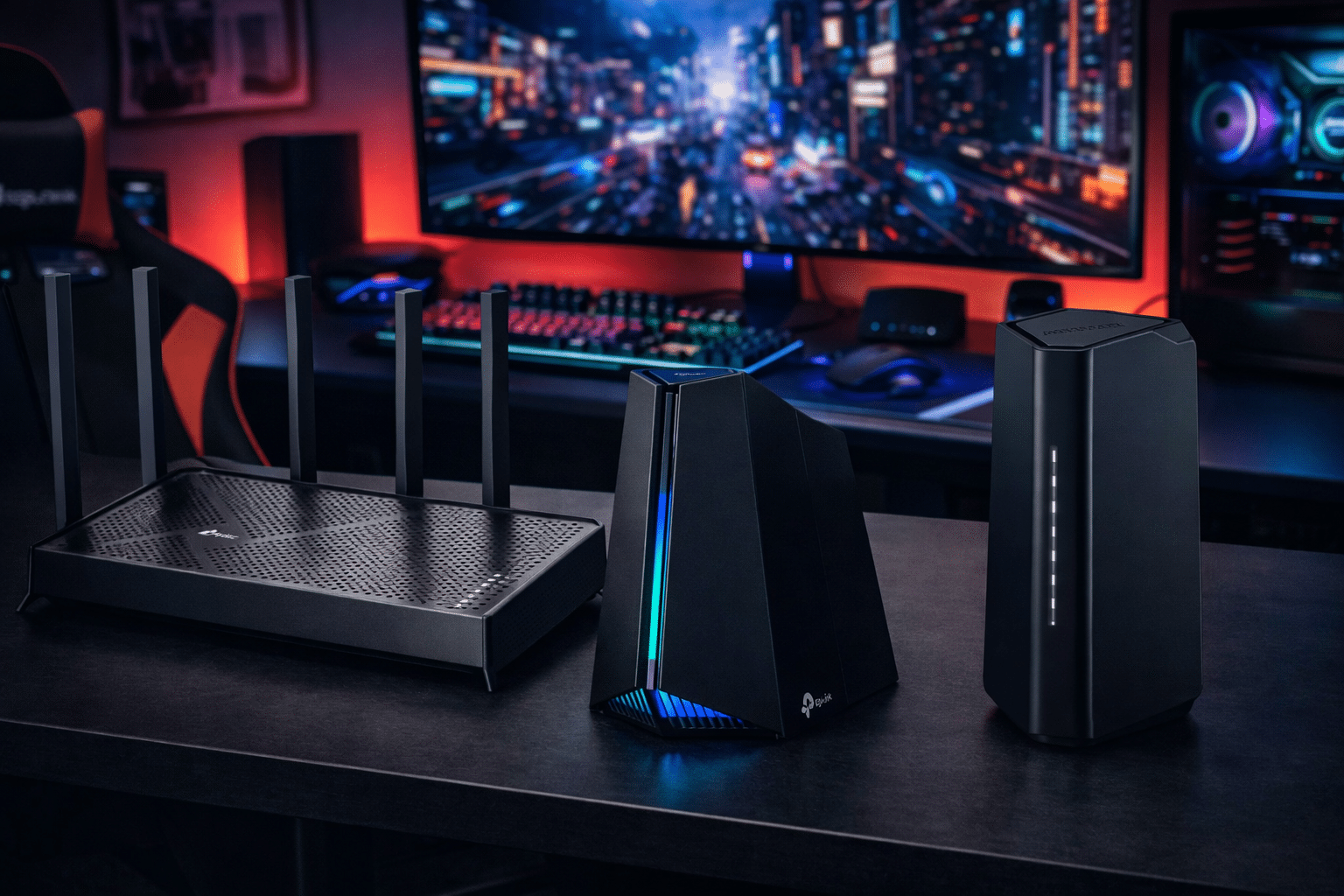
Wi‑Fi 7 Gaming Routers Buying Guide, boost speed, and future‑proof your setup.
You hit a headshot, then the frame stutters. That half‑second delay feels like a lifetime. If that sounds familiar, it might not be your PC or console. It’s your network. Wi‑Fi 7 gaming routers brings multi‑link operation, wider 320 MHz channels, and smarter interference handling to cut latency and keep frames smooth.
In this Wi-Fi 7 Gaming Routers Buying Guide, I break down what matters, who should buy what, and how to avoid overpaying. I also review real models you can buy right now, from budget dual‑band units to a serious RGB gaming beast.
TP-Link Archer BE230 BE3600 Dual‑Band Wi‑Fi 7
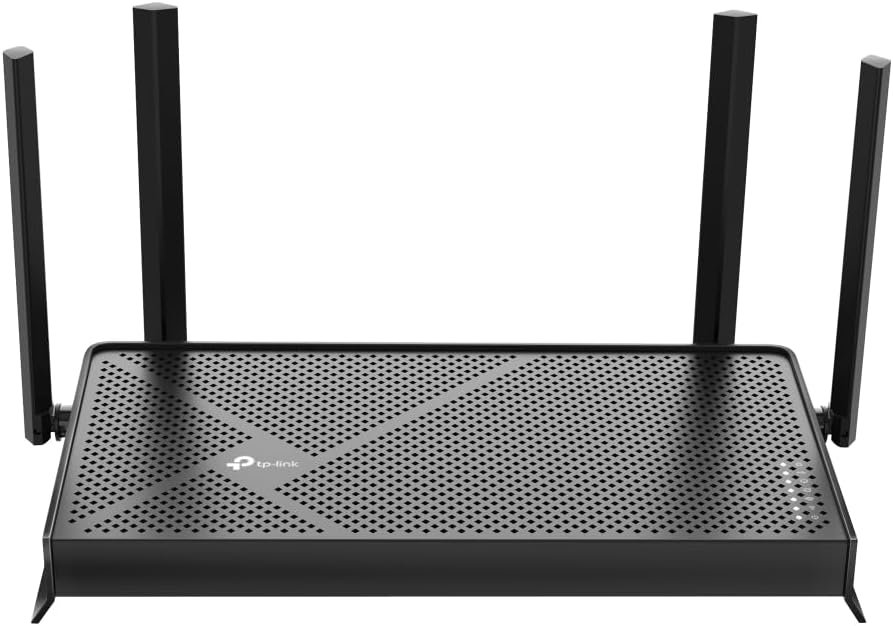
TP‑Link’s Archer BE230 is the budget door to Wi‑Fi 7. It blends a BE3600 dual‑band design with a 2.0 GHz quad‑core CPU and four external antennas. You get two 2.5G ports plus three 1G ports, so a multi‑gig ISP or NAS can breathe. It also supports MLO to lower latency when you have 5 GHz and 6 GHz clients in the mix.
Setup is fast in the Tether app, and HomeShield adds basic security and parental controls. EasyMesh lets you add nodes later if you need more coverage. I like the Private IoT network option for smart plugs and cameras. For a low price, it ticks most boxes in a Wi‑Fi 7 Gaming Routers Buying Guide, especially for small homes and apartments.
Pros:
- Great entry price for a real Wi‑Fi 7 router
- Dual 2.5G ports for WAN and LAN flexibility
- MLO support reduces lag on supported clients
- USB 3.0 for quick local file sharing
- TP‑Link HomeShield and Private IoT add safety
Cons:
- Dual‑band only; no dedicated 6 GHz backhaul
- Coverage is modest for large houses
- No 10G port for extreme multi‑gig builds
My Recommendation
Pick the Archer BE230 if you want a simple, fast upgrade for a one‑to‑two bedroom space. It’s ideal for budget PC and console gamers who need lower latency and steadier Wi‑Fi. The dual 2.5G ports make it easy to feed a multi‑gig fiber plan or a 2.5G switch. In a Wi‑Fi 7 Gaming Routers Buying Guide, this is the easy starter choice.
It shines for light to mid gaming, cloud saves, and high‑bit streaming. You can add EasyMesh nodes later if you outgrow it. If you run many 6 GHz devices or want headroom for VR, look at tri‑band models below. Stock can go fast since it hits a value sweet spot.
| Best for | Why |
|---|---|
| Small homes and apartments | Dual‑band BE3600 covers up to about 2,000–2,400 sq. ft. with ease |
| Budget Wi‑Fi 7 gaming | MLO and 2.5G ports deliver low‑lag play without overspending |
| Mixed smart home setups | Private IoT network and HomeShield keep devices isolated and safe |
TP-Link Archer BE600 BE9700 Tri‑Band Wi‑Fi 7

The Archer BE600 steps up to tri‑band BE9700 with 320 MHz support on 6 GHz. You get a 10G WAN/LAN port, a 2.5G WAN/LAN, and three 2.5G LAN ports, which is rare at this level. That mix is perfect for multi‑gig ISP plans and a fast NAS or PC. It also boasts HomeShield and VPN options for safe remote work.
Coverage is rated up to 2,600 sq. ft. and around 120 devices. MLO helps blend links for steadier pings when the airwaves get busy. In actual use, this feels like the performance “sweet spot” for most gaming homes. In a Wi‑Fi 7 Gaming Routers Buying Guide, it’s the balanced pick for speed, ports, and price.
Pros:
- Tri‑band with a clean 6 GHz lane for new devices
- 10G + multiple 2.5G ports for true multi‑gig builds
- 320 MHz support for huge throughput on 6 GHz
- Solid coverage and device capacity for mid‑large homes
- HomeShield and VPN features for control and safety
Cons:
- Larger footprint than compact dual‑band models
- No dedicated gaming panel like the GE650
- Price is higher than BE230 entry level
My Recommendation
Choose the Archer BE600 if you want strong tri‑band performance and future‑proof ports. It fits a multi‑gig home with a gaming PC, a console, and a fast NAS. 320 MHz on 6 GHz and MLO can cut game jitter, even with many devices online. In a Wi‑Fi 7 Gaming Routers Buying Guide, it stands out for flexibility.
It’s great for 4K streaming while gaming and for busy home offices. If you want RGB and a dedicated gaming port, the GE650 below is more targeted. But for most homes, the BE600 nails the needs that matter daily.
| Best for | Why |
|---|---|
| Multi‑gig ISP plans | 10G + 2.5G ports give headroom and clean LAN design |
| Mixed gaming and streaming | Tri‑band isolation keeps latency stable during peak use |
| Future‑proof buyers | 320 MHz and MLO are built for next‑gen devices |
TP-Link Archer GE650 BE11000 Gaming Router

The Archer GE650 is TP‑Link’s Wi‑Fi 7 gaming flagship at the mainstream level. It’s a tri‑band BE11000 design with support for 320 MHz channels and MLO. Ports are stacked for speed: two 5G, three 2.5G, plus USB 3.0. A dedicated gaming port, game accelerator, and a live gaming dashboard target latency where it hurts.
RGB lighting adds style, and HomeShield keeps your network guarded. If you play shooters, racers, or fighters, you’ll feel the lower jitter as more devices pile on. The hardware is tuned for low bufferbloat, so uploads don’t tank your ping. In any serious Wi‑Fi 7 Gaming Routers Buying Guide, this is the one to beat for gamers.
Pros:
- Dedicated gaming port and acceleration tools
- Dual 5G plus multiple 2.5G ports for fast wired rigs
- Tri‑band with 320 MHz for peak 6 GHz speeds
- Game panel shows live ping and bandwidth
- HomeShield security and parental controls included
Cons:
- Pricier than non‑gaming tri‑band options
- Large chassis; needs space for airflow
- RGB can be distracting if the router sits near a TV
My Recommendation
Get the GE650 if you want a router that fights for every millisecond. It’s ideal for ranked shooters, competitive racing, and cloud gaming. The gaming port and policies help keep your match traffic first in line. For a Wi‑Fi 7 Gaming Routers Buying Guide that puts gaming first, this is the spotlight pick.
It’s also a strong choice for households with multiple gaming rigs. You can wire dual 5G to a main PC and a NAS, then run 2.5G to consoles. The price buys real, measurable control over latency and jitter when the house gets busy.
| Best for | Why |
|---|---|
| Competitive online play | Dedicated gaming port and QoS push packets first |
| Wired multi‑gig builds | Two 5G + three 2.5G ports offer flexible layouts |
| Style‑minded setups | RGB and a gaming dashboard match a tuned battlestation |
NETGEAR Nighthawk RS90 BE3600 Wi‑Fi 7

NETGEAR’s Nighthawk RS90 is a dual‑band BE3600 Wi‑Fi 7 router. It targets smaller spaces with up to 2,000 sq. ft. and about 50 devices. You get a 2.5G internet port and a clean Nighthawk app for setup. It aims for simple stability and a no‑fuss path to Wi‑Fi 7 features like MLO.
The hardware focus is solid firmware and antennas that don’t need hand‑tuning. NETGEAR’s free expert help is nice if you hit a snag on day one. Gamers on a budget or in apartments will find this a step‑up over Wi‑Fi 5/6. In any Wi‑Fi 7 Gaming Routers Buying Guide, it’s a safe, compact choice.
Pros:
- Affordable way to get into Wi‑Fi 7 from NETGEAR
- 2.5G internet port handles modern ISP plans
- Clean app with quick, reliable setup
- Compact design fits tight spaces
- Free expert help for onboarding
Cons:
- Dual‑band only; fewer high‑end ports
- Limited wired LAN expansion compared to tri‑band units
- Not ideal for very large homes
My Recommendation
Pick the RS90 if you want a set‑and‑forget router that “just works.” It is best for small homes, dorms, or rentals where footprint and price matter. You still get MLO and Wi‑Fi 7 efficiency to calm ping spikes. In a Wi‑Fi 7 Gaming Routers Buying Guide, it’s a trustworthy minimal pick.
If you plan to wire multiple PCs and a NAS, though, the port count may feel tight. That’s where TP‑Link’s tri‑band options shine. But for many players who value stability over extras, the RS90 gets it done.
| Best for | Why |
|---|---|
| Small apartments and dorms | Compact, simple, and strong in tight layouts |
| Budget Wi‑Fi 7 upgrade | BE3600 and MLO boost speed and reduce jitter affordably |
| First‑time setup | Nighthawk app and free expert help ease installation |
TP-Link Archer BE400 BE6500 Dual‑Band Wi‑Fi 7

The Archer BE400 sits between entry and premium. It’s a dual‑band BE6500 router with a quad‑core CPU and dual 2.5G ports. Coverage reaches up to 2,400 sq. ft. and about 90 devices. For families with many phones and laptops, those numbers are right on target.
It supports MLO and includes USB 3.0 for local backups or quick media shares. HomeShield and a Private IoT network help keep your gear safe. It’s a strong upgrade for anyone coming from Wi‑Fi 5 or early Wi‑Fi 6. In a Wi‑Fi 7 Gaming Routers Buying Guide, this is a smart mid‑range buy if tri‑band isn’t needed.
Pros:
- Dual 2.5G ports give WAN/LAN flexibility
- BE6500 throughput improves busy home performance
- MLO smooths gaming and streaming
- USB 3.0 adds handy storage options
- HomeShield and Private IoT boost security
Cons:
- No 10G for extreme multi‑gig users
- Dual‑band can get congested in very dense areas
- Not as gaming‑focused as the GE650
My Recommendation
Choose the BE400 if you want more muscle than basic BE3600 units. It fits mid‑size homes that game and stream at the same time. Dual 2.5G ports keep ISP and LAN speeds modern. For a Wi‑Fi 7 Gaming Routers Buying Guide with value at heart, this is a great middle path.
If you later need more range, EasyMesh nodes can expand coverage without a full swap. Gamers who want RGB or a dedicated gaming port can step up to the GE650. But most mixed households will be happy here.
| Best for | Why |
|---|---|
| Mid‑size households | BE6500 with MLO handles many devices at once |
| Multi‑gig on a budget | Dual 2.5G ports without paying for 10G hardware |
| Smart home safety | Private IoT network keeps gadgets contained |
FAQs Of Wi‑Fi 7 Gaming Routers Buying Guide
What makes Wi‑Fi 7 better for gaming than Wi‑Fi 6?
Wi‑Fi 7 adds MLO to bond links and cut latency, plus wider 320 MHz channels and 4K‑QAM for more throughput. These features help reduce jitter and keep pings steady in busy homes.
Do I need a Wi‑Fi 7 device to see benefits?
For full gains, yes. But even on older devices, a stronger router CPU, better antennas, and smarter scheduling can stabilize speeds. As you add Wi‑Fi 7 devices, the benefits grow.
Is 6 GHz required for gaming?
No, but 6 GHz is cleaner and faster with less interference. If your PC or console supports 6 GHz, you’ll often see lower latency and more consistent frames.
Should I choose dual‑band or tri‑band?
Tri‑band helps if your home is busy or large. It gives a separate 6 GHz lane and more room for streaming. Dual‑band is fine for small spaces and tighter budgets.
How many multi‑gig ports do I need?
At least one 2.5G port for your ISP is smart. If you run a fast NAS or wired gaming PC, look for one more 2.5G or 5G port. Power users may want 10G.
Final Verdict: Which Should You Buy?
If you want the best gaming focus, get the Archer GE650. For balanced power and ports, the Archer BE600 is the sweet spot. On a budget, the Archer BE230 or Nighthawk RS90 are great starters.
The Archer BE400 hits a strong middle ground for most families. Use this Wi‑Fi 7 Gaming Routers Buying Guide to match your space, devices, and ISP speed to the right pick.
How I judge Wi‑Fi 7 gaming routers
I look at latency first, then throughput. A fast top speed means little if your ping jumps when someone uploads. Wi‑Fi 7’s big leap is Multi‑Link Operation (MLO). It lets the router steer or even bond links across bands to limit jitter. Next, I check 6 GHz support and 320 MHz channel width. Those boost max speed and reduce interference with neighbors. I also look for 4K‑QAM and Multi‑RU scheduling, which help push more data to more clients at once.
Ports are huge for gaming homes. A single 2.5G internet port is the new baseline. Two or more multi‑gig ports let you wire a main PC, a NAS, or a switch. 5G or 10G ports are great if you have fiber above 2 Gbps or move big files. For the Wi‑Fi 7 Gaming Routers Buying Guide, I also weigh security. HomeShield or similar tools add parental controls, network scanning, and IoT isolation. These matter with dozens of smart devices on your network.
Coverage and antennas matter, but numbers can mislead. I prefer routers with reliable beamforming and smart channel selection. That means fewer dead zones and better stability. Tri‑band models with 6 GHz can also use that band as a backhaul if you add mesh nodes. Dual‑band routers are fine in small spaces, but they can get crowded when many devices connect. The Wi‑Fi 7 Gaming Routers Buying Guide leans on real‑world balance, not just spec sheets.
Firmware and app quality make or break long‑term use. I look for simple setup, clear QoS controls, and regular updates. A gaming dashboard is a plus on routers like the GE650. It helps you see live ping, bandwidth, and prioritization. If you want a quick path to results, choose brands with strong mobile apps. That saves time when you tweak channels or set up a guest network. These little wins add up in a Wi‑Fi 7 Gaming Routers Buying Guide.
Let’s translate specs to real gains. 320 MHz channels on 6 GHz can double the width over Wi‑Fi 6E. That helps with huge downloads, map updates, and 4K streams while gaming. MLO can bond 5 GHz and 6 GHz to steady latency. Think of it like opening an extra lane on the highway during rush hour. If one lane slows, traffic shifts smoothly to keep you moving. That’s why MLO is a star in any Wi‑Fi 7 Gaming Routers Buying Guide.
Don’t sleep on wired backbones. If your PC or console sits near the router, use a 2.5G or 5G port. It removes Wi‑Fi variables from competitive play. Use Wi‑Fi for mobiles and consoles in other rooms. Then tune QoS to prioritize gaming packets. Routers like the GE650 simplify this with a gaming port and presets. In a pinch, even a basic dual‑band Wi‑Fi 7 unit with MLO will feel better than older Wi‑Fi 5 gear.
Security is part of performance. Malware or a misconfigured IoT device can hammer your network. Use HomeShield or similar features to scan and isolate devices. Create a separate IoT SSID. Keep firmware current. Many modern routers update on a schedule so you do not have to think about it. In the Wi‑Fi 7 Gaming Routers Buying Guide, I award extra credit for easy, safe defaults.
About channel selection: auto works for most users. But if you live in a dense building, experiment. 6 GHz is often the least crowded. If you have thick walls, 5 GHz can travel farther than 6 GHz with better penetration. Many Wi‑Fi 7 routers let you pin a gaming device to a certain band or SSID. Try locking a gaming PC to 6 GHz and a console to 5 GHz. That can prevent band roaming mid‑match.
Mesh or single router? If your home is over 2,500 sq. ft. or has multiple floors and concrete walls, plan for mesh. Start with a solid base like the BE600 and add nodes as needed via EasyMesh. Keep the backhaul on 6 GHz if possible. If you have Ethernet between floors, wired backhaul is even better. For smaller homes, one strong router will be simpler and cheaper. The Wi‑Fi 7 Gaming Routers Buying Guide pushes you to spend where it shows.
ISP speed and port pairing: match your WAN port to your plan. If you pay for 1 Gbps, a 2.5G WAN port is enough and adds headroom. For 2–5 Gbps fiber, aim for a router with 5G or 10G WAN/LAN. The BE600’s 10G port is perfect here. For those planning a home media server, pick a router with at least one more multi‑gig LAN. That keeps local transfers fast without choking your gaming traffic.
Power users and creators gain the most from tri‑band. If you stream to Twitch while teammates download big updates, tri‑band gives your packets room to breathe. The GE650’s gaming tools add visibility and control. But if you just want smooth play in a small space, the BE230 or RS90 will feel like a giant leap over older gear. This is the heart of the Wi‑Fi 7 Gaming Routers Buying Guide: buy to your layout and habits, not just a spec race.
USB ports still matter. A quick, local backup or a shared media drive can ride on USB 3.0. It’s not a full NAS, but it’s enough for many homes. If you need Plex or heavy media tasks, consider adding a dedicated NAS to a multi‑gig LAN port. Then your router focuses on what it does best: managing wireless and keeping latency low. That balance is central in any Wi‑Fi 7 Gaming Routers Buying Guide.
What about older devices? Wi‑Fi 7 routers are backward compatible. Your Wi‑Fi 5 and Wi‑Fi 6 clients will connect just fine. They will not hit 320 MHz or MLO gains, but they benefit from a stronger CPU and better airtime fairness. As you upgrade laptops and phones to Wi‑Fi 7, the network gets even smoother. This staged approach saves money and time, a theme I stress in the Wi‑Fi 7 Gaming Routers Buying Guide.
If you play VR, 6 GHz is your friend. It offers a cleaner, shorter‑range channel with less interference. That keeps frame timing tight and reduces motion sickness risk. Keep the headset close to the router for best results. If walls block 6 GHz, experiment with 5 GHz on a dedicated SSID. A good Wi‑Fi 7 router gives you the tools to test, measure, and lock the best path.
Final tip: tame bufferbloat. If your ping rises during uploads, turn on QoS or gaming mode. Some routers let you set bandwidth limits for background devices. Others do smart queue management for you. The GE650 makes this hand‑off easy. Dual‑band models can still do a good job if you tune them. That’s why QoS features are a must‑check in a Wi‑Fi 7 Gaming Routers Buying Guide.
Bottom line: Wi‑Fi 7 is more than a speed bump. It’s a stability upgrade shaped for modern homes. Pick ports to match your ISP and gear. Pick bands to match your space. Then use the tools—MLO, QoS, and 6 GHz—to lock in smooth play. This approach will beat chasing the highest number on the box every time. And it is the core advice I share in this Wi‑Fi 7 Gaming Routers Buying Guide.




2 Comments