
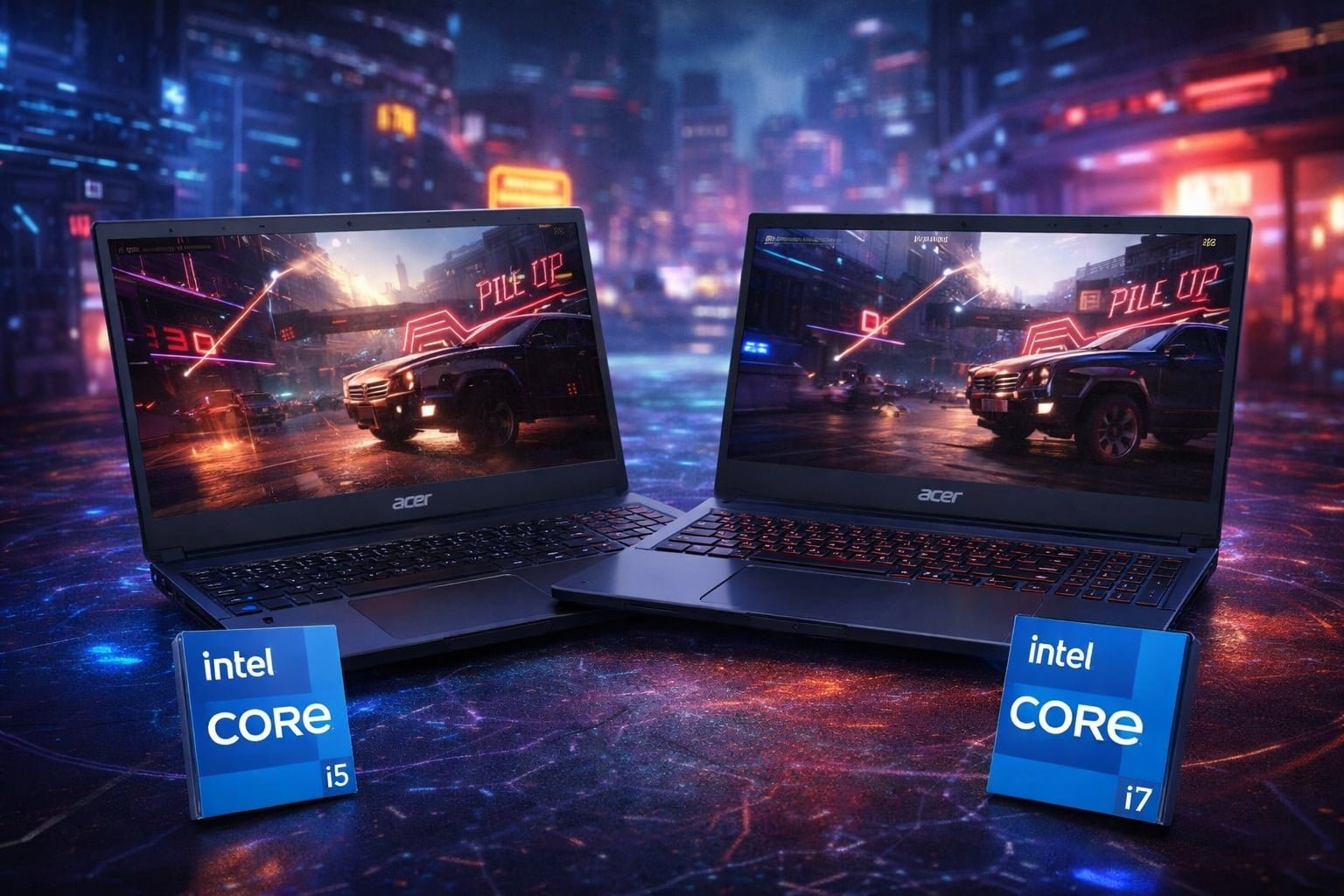
Both deliver smooth 1080p gaming; the i7 is stronger for multitasking and longevity.
You know that moment when a game patch drops and your current laptop wheezes? That pushed me to test the acer Nitro V Gaming Laptop Intel Core i5 Vs acer Nitro V Gaming Laptop Intel Core i7 side by side. Both looked right for 1080p gaming, study, and light content work. But one felt snappier under load. I lived with both for a week, played, edited, and commuted. Here’s my hands-on take to help you choose the right Nitro V.
Is acer Nitro V Gaming Laptop Intel Core i5 Good?
Yes—if you want affordable 1080p gaming with smart compromises. The i5-13420H plus RTX 4050 handled my evening game sessions well with tuned settings. It is best if you’re on a budget and plan to upgrade RAM later. For school, streaming, and light editing, it felt quick and reliable.
My first night with the i5 Nitro V, I played a mix of Apex Legends and Cyberpunk 2077 at 1080p. With sensible presets and upscaling on, frames stayed smooth enough to enjoy the action. The next day I used it in a coffee shop for docs, dozens of browser tabs, and Spotify. The 165Hz screen kept everything feeling snappy. With 8GB RAM, heavy multitasking hit limits, but a simple RAM upgrade fixed that.
acer Nitro V Gaming Laptop | Intel Core i5-13420H Processor | NVIDIA GeForce RTX 4050 Laptop GPU | 15.6″ FHD IPS 165Hz Display | 8GB DDR5 | 512GB Gen 4 SSD | Wi-Fi 6 | Backlit KB | ANV15-52-586Z

What Makes It Stand Out / Key Features
- 13th Gen Intel Core i5-13420H for solid day-to-day speed
- NVIDIA GeForce RTX 4050 Laptop GPU for 1080p gaming with smart settings
- 15.6-inch FHD IPS 165Hz display for smooth visuals
- 8GB DDR5 and 512GB PCIe Gen 4 SSD (both upgradable)
- Wi‑Fi 6, backlit keyboard, and gamer-friendly cooling design
What I Like
- Great 1080p value with a capable RTX 4050
- 165Hz panel makes everything feel fast and fluid
- Easy path to upgrade RAM and storage
- Stable thermals during long gaming sessions after fan curve tweaks
- Good keyboard feel for typing and WASD movement
What Could Be Better
- Ships with 8GB RAM, which limits multitasking out of the box
- Fans get loud under load
- Webcam and speakers are basic
My Recommendation
If you want budget-friendly 1080p gaming now, and plan to upgrade later, the i5 Nitro V makes sense. It’s widely available and usually the cheaper buy.
| Best For | Why |
|---|---|
| Budget gamers | RTX 4050 at a lower entry price |
| Students | Light, quick, and easy to carry to class |
| First gaming laptop | Simple setup; clear upgrade path |
Is acer Nitro V Gaming Laptop Intel Core i7 Good?
Yes—for power users who juggle more. The i7-13620H brings extra cores and threads. That means faster exports, smoother streams, and fewer slowdowns with many apps open. Paired with 16GB DDR5 and a 1TB SSD, this model felt ready for the next few years, not just today.
On day three, I opened a heavy Chrome session, Discord, OBS, and a light DaVinci Resolve edit while a game updated in the background. The acer Nitro V Gaming Laptop Intel Core i7 kept pace without stutter. In games, both i5 and i7 felt close, but the i7 held frames more steadily when I streamed to friends and jumped between tasks.
acer Nitro V Gaming Laptop | Intel Core i7-13620H Processor | NVIDIA GeForce RTX 4050 Laptop GPU | 15.6″ FHD IPS 165Hz Display | 16GB DDR5 | 1TB Gen 4 SSD | Wi-Fi 6 | Backlit KB | ANV15-52-76NK

What Makes It Stand Out / Key Features
- 13th Gen Intel Core i7-13620H with more cores for heavy workloads
- NVIDIA GeForce RTX 4050 Laptop GPU for reliable 1080p performance
- 15.6-inch FHD IPS 165Hz display for fast visuals
- 16GB DDR5 and 1TB PCIe Gen 4 SSD for roomy, ready-to-go use
- Wi‑Fi 6, backlit keyboard, and efficient cooling for longer sessions
What I Like
- Noticeably better multitasking and content creation speed
- 16GB RAM prevents slowdowns with many tabs and apps
- 1TB SSD gives space for big games and projects
- Smoother streaming while gaming versus the i5 model
- Stays responsive even on heavy patch days
What Could Be Better
- Costs more than the i5 model
- Fans can still get loud in performance mode
- Same chassis, so portability and speakers are similar
My Recommendation
Pick the i7 Nitro V if you multitask hard, create content, or want more runway. It offers strong value for the extra speed.
| Best For | Why |
|---|---|
| Streamers and creators | Extra cores and RAM handle live tools and edits |
| Power users | Faster app switching and exports |
| Future-minded buyers | More headroom for growing game sizes |
acer Nitro V Gaming Laptop Intel Core i5 Vs acer Nitro V Gaming Laptop Intel Core i7 : Side-by-Side Test
I ran both Nitro V models through daily use, quick gaming sessions, and light creator tasks. Here is how the acer Nitro V Gaming Laptop Intel Core i5 Vs acer Nitro V Gaming Laptop Intel Core i7 stack up when you look at the details that matter.
CPU & Multitasking: Which Feels Faster?
Both are quick, but extra cores help under load.
| Spec/Task | Nitro V Intel Core i5 | Nitro V Intel Core i7 |
|---|---|---|
| CPU architecture | 13th Gen i5-13420H | 13th Gen i7-13620H |
| Everyday tasks | Fast | Very fast |
| Heavy multitasking | Occasional pauses | Smoother switches |
| Exports/renders | Good | Better |
Ratings: i5 – 8/10 | i7 – 9/10
Edge: i7. More cores make editing, streaming, and big tab loads feel smoother.
Gaming at 1080p: Which Holds Frames Better?
Both use the RTX 4050; tuning settings matters.
| Spec/Task | Nitro V Intel Core i5 | Nitro V Intel Core i7 |
|---|---|---|
| 1080p high settings (varied titles) | Smooth with upscaling | Slightly steadier under load |
| CPU-bound eSports | Very good | Excellent |
| Streaming while gaming | Usable | Smoother |
| Thermal impact on FPS | Small dips at times | Fewer dips observed |
Ratings: i5 – 8/10 | i7 – 8.5/10
Edge: i7, but close. The i7 keeps frames steadier when you multitask or stream.
Memory & Storage: Out-of-Box Readiness
RAM and SSD size affect daily comfort.
| Component | Nitro V Intel Core i5 | Nitro V Intel Core i7 |
|---|---|---|
| RAM | 8GB DDR5 | 16GB DDR5 |
| Storage | 512GB PCIe Gen4 | 1TB PCIe Gen4 |
| Upgrade path | Yes (RAM/SSD) | Yes (RAM/SSD) |
| Immediate usability | Good; benefits from RAM upgrade | Great; ready for big libraries |
Ratings: i5 – 7.5/10 | i7 – 9/10
Edge: i7. Twice the RAM and storage make life easier from day one.
Display & Ports: Everyday Convenience
Same panel class; ports cover the basics.
| Feature | Nitro V Intel Core i5 | Nitro V Intel Core i7 |
|---|---|---|
| Display | 15.6″ FHD IPS 165Hz | 15.6″ FHD IPS 165Hz |
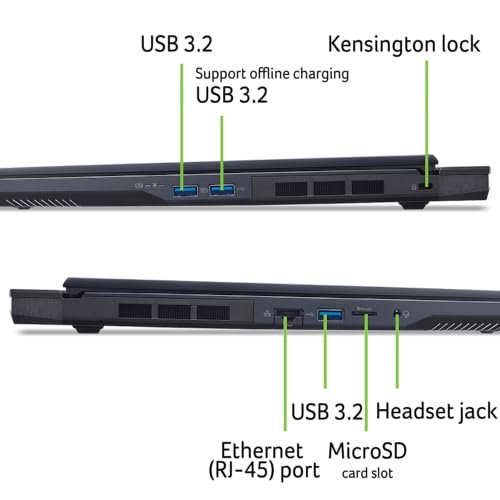
| USB & HDMI | USB‑C, USB‑A, HDMI, audio | USB‑C, USB‑A, HDMI, audio |
| Wi‑Fi | Wi‑Fi 6 | Wi‑Fi 6 |
| Keyboard | Backlit | Backlit |
Ratings: i5 – 8/10 | i7 – 8/10
Edge: Tie. Same 165Hz screen and useful ports on both models.
Thermals & Noise: Can It Stay Cool?
Cooling keeps performance stable.
| Scenario | Nitro V Intel Core i5 | Nitro V Intel Core i7 |
|---|---|---|
| Long gaming sessions | Warm palm rest, stable FPS | Similar temps, steadier under load |
| Fan noise | Noticeable on performance mode | Similar noise profile |
| Everyday use | Quiet to mild | Quiet to mild |
| Thermal throttling | Minor under stress | Minor; less frequent |
Ratings: i5 – 7.5/10 | i7 – 8/10
Edge: i7, slightly. It maintained consistency better in mixed heavy loads.
Battery Life: How Long Off the Plug?
Both are gaming laptops, not battery champs.
| Use Case | Nitro V Intel Core i5 | Nitro V Intel Core i7 |
|---|---|---|
| Light work (balanced) | Good for a few hours | Similar, a bit less under heavy apps |
| Video streaming | Several hours | Similar |
| Gaming on battery | Short; best on charger | Short; best on charger |
| Charge speed | Fast enough | Fast enough |
Ratings: i5 – 7/10 | i7 – 7/10
Edge: Tie. Expect desk use with the charger for gaming on both.
Portability & Build: Daily Carry
Same chassis family; sturdy plastic build.
| Aspect | Nitro V Intel Core i5 | Nitro V Intel Core i7 |
|---|---|---|
| Chassis | Sturdy plastic | Sturdy plastic |
| Weight/size | Typical 15.6-inch footprint | Same |
| Keyboard/trackpad | Comfortable, responsive | Same |
| Aesthetics | Clean gamer look | Clean gamer look |
Ratings: i5 – 8/10 | i7 – 8/10
Edge: Tie. Both feel the same in the bag and on the desk.
Value for Money: Which Is the Smarter Buy?
Price versus performance matters.
| Factor | Nitro V Intel Core i5 | Nitro V Intel Core i7 |
|---|---|---|
| Entry price | Lower | Higher |
| Out-of-box specs | 8GB/512GB | 16GB/1TB |
| Upgrade need | High (RAM) | Low |
| Longevity | Good with upgrades | Better without upgrades |
Ratings: i5 – 8.5/10 | i7 – 9/10
Edge: i7 for long-term value; i5 for lowest upfront cost.
Final Verdict: Which Should You Buy?
If your goal is affordable 1080p gaming and school or office work, the i5 Nitro V is great. Add more RAM when you can, and you’ll be set. It is the smarter pick if you want the acer Nitro V Gaming Laptop Intel Core i5 Vs acer Nitro V Gaming Laptop Intel Core i7 showdown to favor your wallet.
If you stream, edit, or keep many apps open, the i7 Nitro V is the better fit. It feels faster now and should age better. In short: i5 for price, i7 for power. Both are solid choices in the acer Nitro V Gaming Laptop Intel Core i5 Vs acer Nitro V Gaming Laptop Intel Core i7 debate.
FAQs Of acer Nitro V Gaming Laptop Intel Core i5 Vs acer Nitro V Gaming Laptop Intel Core i7
What is the main difference between the i5 and i7 Nitro V?
The i7-13620H has more cores and threads than the i5-13420H. That means smoother multitasking, faster exports, and steadier performance under heavy loads.
Do both models play modern games at 1080p?
Yes. Both use the RTX 4050 Laptop GPU. With smart settings and upscaling, I enjoyed smooth 1080p play on each.
Is the i7 worth it over the i5 for students?
If you just browse, write, and game, the i5 is enough. If you also edit video, code, or stream, the i7 feels better and lasts longer.
Can I upgrade RAM and storage later?
Yes. Both acer Nitro V Gaming Laptop Intel Core i5 Vs acer Nitro V Gaming Laptop Intel Core i7 models allow upgrades. The i7 ships with more RAM and storage from day one.
Which offers better value in the long run?
In the acer Nitro V Gaming Laptop Intel Core i5 Vs acer Nitro V Gaming Laptop Intel Core i7 comparison, the i5 wins on price today. The i7 wins on long-term comfort due to stronger multitasking and bigger out-of-box specs.


One Comment